USB-C Hubs: How to Buy One That Does Not Break Your Second Monitor
Laptops got thin, and the ports went with them. A machine that once had three USB ports, HDMI, ethernet and an SD slot now has two USB-C holes, one of which is doing the charging. So you buy a hub, and within a week you are back on Amazon reading reviews to work out why your external monitor looks like it is running underwater.
Hub listings are unusually bad at explaining themselves. They lead with the port count and bury the two or three things that actually determine whether the thing works properly with your specific laptop.
The monitor problem, which is the big one
This is the single most common complaint about cheap hubs, and it is worth understanding before you buy rather than after.
When a hub says it supports 4K, look immediately for the refresh rate next to it. Two figures show up. 4K at 30Hz means the screen redraws thirty times a second, and while text is readable, moving your mouse across the desktop feels like dragging it through syrup. 4K at 60Hz is normal and what you want.
The reason for the difference is the HDMI version and the amount of bandwidth the hub reserves for video. Older HDMI 1.4 tops out at 4K30. HDMI 2.0 handles 4K60. Many budget hubs still ship the older standard and simply say "supports 4K" on the box, which is technically true and practically annoying.
If your monitor is 1080p, none of this matters much and almost any hub will drive it at 60Hz. If you are running a 4K panel, this is the specification to check first and reject the hub over.
The other half of the monitor problem
The hub is not the only thing that has to cooperate. Your laptop's USB-C port must support DisplayPort Alt Mode, which is what carries a video signal out of a USB-C port. Most modern machines do. Some budget Windows laptops have USB-C ports that handle data and charging only, and no hub in the world will get video out of them.
Check your laptop's specification before buying, because a hub failing to drive a display is far more often the laptop's limitation than the hub's fault.
Power delivery pass-through
If your laptop charges over USB-C and you only have one or two ports, you need a hub with power delivery pass-through. That means the hub has its own USB-C port for the charger, and it passes power through to the laptop while using the same connection for everything else.
Two things to know. There is always a power loss, typically 10 to 20 watts, so a hub advertising 100W pass-through will deliver something closer to 85W to the laptop. For most machines that is fine. For a large power-hungry laptop under heavy load it can mean charging slowly or not quite keeping up.
And the hub does not include a charger. You use your existing one. A hub rated for 100W with a 45W charger delivers 45W minus losses.
The specs worth reading, in order
The things reviews complain about and spec sheets never mention
Heat is the first. Hubs get warm, and aluminium bodies are not a styling choice — they are the heatsink. A plastic hub driving a 4K display and charging a laptop will run hot, and heat is what kills them.
Wi-Fi interference is the second, and it surprises people. USB 3.0 signalling generates interference in the 2.4GHz band. A poorly shielded hub sitting next to your laptop can measurably degrade 2.4GHz Wi-Fi and wireless mouse dongles. If your mouse starts stuttering after you plug in a hub, this is why. Moving the hub further away or switching to the 5GHz band usually fixes it.
Third is the dropout. Some hub and laptop combinations disconnect and reconnect at random, particularly on wake from sleep. This is a compatibility issue rather than a defect, which is why reading reviews from people using the same laptop as you is more useful than reading the specification.
Where a hub is the wrong purchase
If your laptop lives permanently on one desk with two monitors, a proper powered docking station does the job better and more reliably, at two to three times the price. If you only ever need one USB-A port for a pen drive, a single Rs 200 adapter is the sensible answer rather than a Rs 2,700 hub.
The hub sits between those: several things at once, portable, plugged and unplugged daily.
The one we have listed
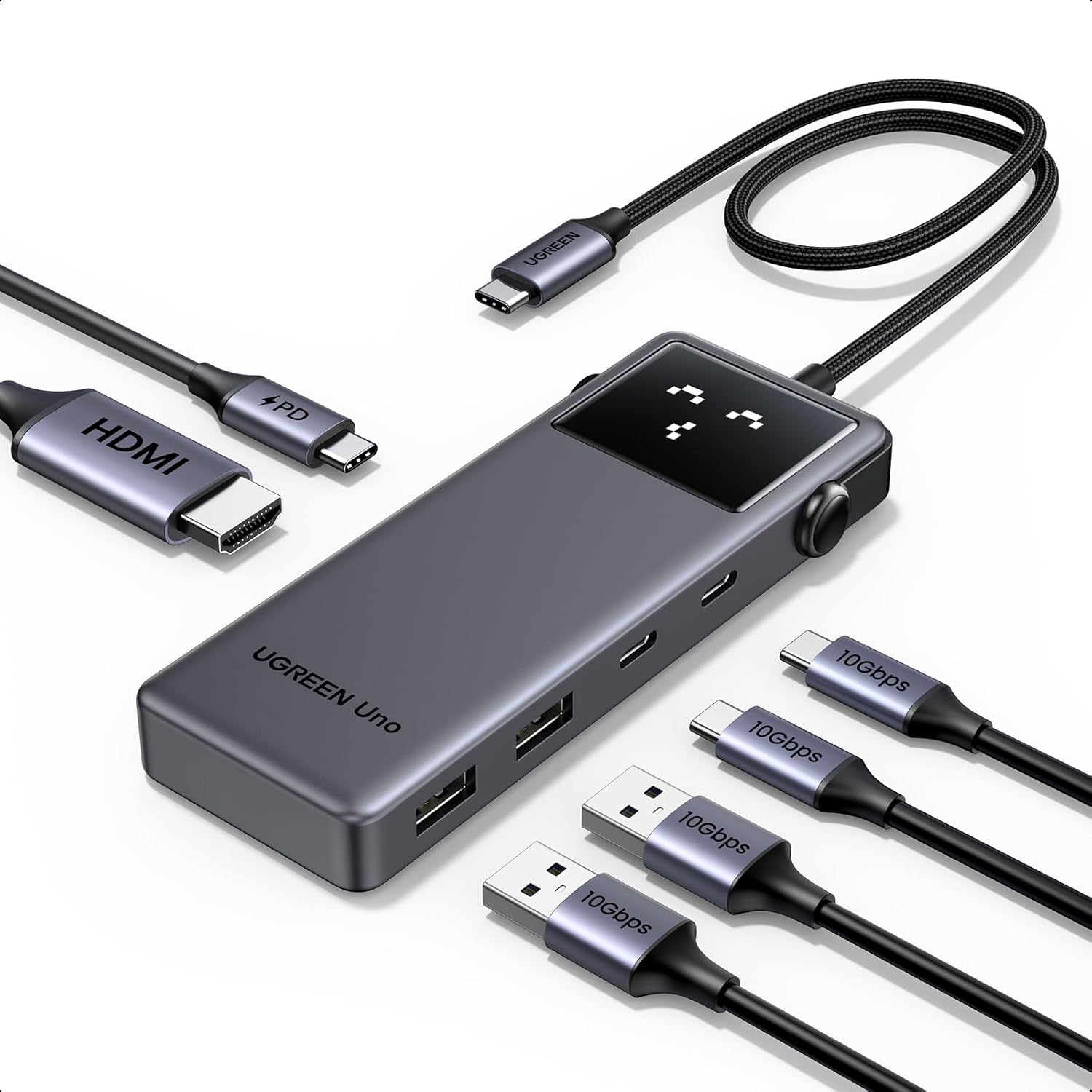
The Uno USB-C Hub and Docking Station is on our deals list at Rs 2,698 on Amazon.in, rated 4.2 stars across more than 2,800 ratings. It runs HDMI, USB-A ports and card readers off a single USB-C connection, which covers the standard case of a MacBook, iPad or thin Windows laptop that needs to become a desk setup for a few hours.
The 4.2 rather than 4.6 is normal for this category and mostly reflects laptop-specific compatibility reports rather than a design fault. Before ordering, confirm two things about your own machine: that its USB-C port supports DisplayPort Alt Mode, and what refresh rate you need from your monitor. Those two checks prevent most of the disappointment in this product category.
If you also need a charging cable that does not tangle, the Baseus Free2Draw retractable 100W cable pairs with the same setup.
Common questions
Will a hub slow down my external SSD?
If the SSD is on a USB 3.0 port and nothing else heavy is running, barely. If you are also driving a 4K display and copying from an SD card at the same time, yes, because all of it shares the same USB-C connection's bandwidth.
Can I connect two monitors?
Only with a hub that explicitly supports it, and only if your laptop does. Many Windows laptops handle dual displays over one USB-C port. Base-model Apple Silicon MacBook Air and Pro machines are limited to one external display without additional hardware.
Why does my hub disconnect when the laptop wakes up?
Usually a power management setting or a firmware quirk in the hub. Try a different USB-C port first, then check whether the manufacturer offers a firmware update.
Do I need a powered hub?
For keyboards, mice and pen drives, no. For bus-powered external hard disks or anything drawing real current, a hub with pass-through charging is much more stable.
Disclosure: TechBelievers lists products from Amazon.in and other stores as an affiliate. If you buy through our links we may earn a commission, at no extra cost to you. Prices are checked periodically and change often on the store's own site.