Laptop Cooling Pads: What They Fix and What They Cannot
Half an hour into an export, or forty minutes into a game, the laptop starts to sound like a hairdryer. The area above the keyboard is too hot to rest a hand on. Frame rates dip, the render slows down, and if the machine is actually on your lap you have already moved it to the table. Every Indian summer, this becomes a daily event rather than an occasional one.
Why laptops get hot in the first place
A laptop pulls cool air in through vents underneath, runs it across a heatsink, and pushes hot air out of the side or back. That is the entire cooling system, compressed into a couple of centimetres of thickness. Thin machines have less room for it, which is why the thinnest laptops are often the hottest.
When the chip gets too hot, the laptop does something sensible: it slows itself down to produce less heat. This is thermal throttling, and it is why a machine feels fast for five minutes and sluggish for the next hour. Nothing is broken. The laptop is protecting itself.
A cooling pad attacks this from two directions. It lifts the laptop off the surface so the intake vents underneath are not pressed against a table, a bed or your legs. And its fans push extra air into that gap so the intake gets cooler air than it otherwise would.
What actually matters when picking one
- Where your laptop's intake vents are. Look at the underside of your machine. If the vents are near the back, a pad whose fans sit at the front is blowing air at solid plastic. Matching fan position to vent position matters far more than fan count.
- Fan noise. A pad with several small, fast fans can be louder than the laptop it is cooling. Larger, slower fans move similar air more quietly. If you work in a shared room or take calls, this is the spec that decides whether you keep using it.
- Height and angle. The tilt is doing quiet work here. Raising the back of the laptop puts your wrists at a better angle and lifts the screen closer to eye level. Some people get more out of the ergonomics than the cooling.
- Size range. A pad sized for a 15-inch machine will hold a 17-inch one badly, with the front edge overhanging and the fans misaligned. Check the supported range against your screen size.
- Power draw. Almost all pads run off a USB port on the laptop itself, which costs you a port and a small amount of battery. Some have a pass-through USB port to give one back.
- Stops and grips. Without a lip at the front, a tilted laptop slides. Cheap pads often skip this.
Where a cooling pad genuinely helps
The clearest gain is on soft surfaces. Using a laptop on a bed, a sofa or your lap blocks the intake vents almost completely, and temperatures climb fast. A pad guarantees a gap. If most of your laptop use is not at a desk, this alone justifies the cost.
Long sustained loads are the second case. Video exports, compiling, large spreadsheets, gaming sessions of an hour or more. Short bursts of work rarely get hot enough to throttle, so a pad changes nothing there. Sustained loads are where a few degrees can be the difference between full speed and a throttled crawl.
Then there is the Indian ambient-temperature problem, which most reviews written elsewhere ignore entirely. A cooling system designed for a 22-degree room behaves differently in a 34-degree one. In peak summer, in a room without air conditioning, a pad is doing more useful work than the same pad would do in a cooler climate.
And the ergonomic benefit is real. Raising the screen even a few centimetres reduces the neck-forward posture that makes people ache by evening.
Where they disappoint
The temperature drop is smaller than people expect. Realistically you are looking at a modest reduction, not a transformation. If your laptop is throttling badly, a pad might buy back some performance; it will not turn a hot thin ultrabook into a cool one.
Noise is the most common reason pads end up in a cupboard. You bought it because the laptop was loud, and now there are two loud things on the desk.
Portability is poor. These are wide, light, awkward objects that do not fit in a laptop sleeve. A cooling pad is desk furniture, not travel gear.
And on some laptop designs the pad does essentially nothing, because the intake is not on the bottom panel at all, or the bottom is a solid unvented slab. Check before you buy.
Who should skip one: if your laptop has never felt hot, do not buy a solution to a problem you do not have. If your machine has become hot recently after years of being fine, the cause is almost certainly dust clogging the fans and old thermal paste, and a cleaning at a service centre will do far more than any pad. And if you only need the screen raised, a passive stand is quieter, lighter and cheaper.
Getting the most from one
Use it on a hard, flat surface. A cooling pad on a duvet is still a cooling pad with blocked intakes. Keep the room air as cool as you can manage, because the pad can only supply air at the temperature of the room; in a closed room in May, that ceiling is high.
Clean the pad's own fan grilles every few months. They collect dust quickly, being at floor-adjacent desk level, and a clogged pad is just a stand. In humid coastal months, do not leave it running unattended overnight on a damp surface.
Finally, pair it with software habits. Closing thirty browser tabs and switching the Windows power mode down does more for a hot laptop than any accessory.
The one we have listed
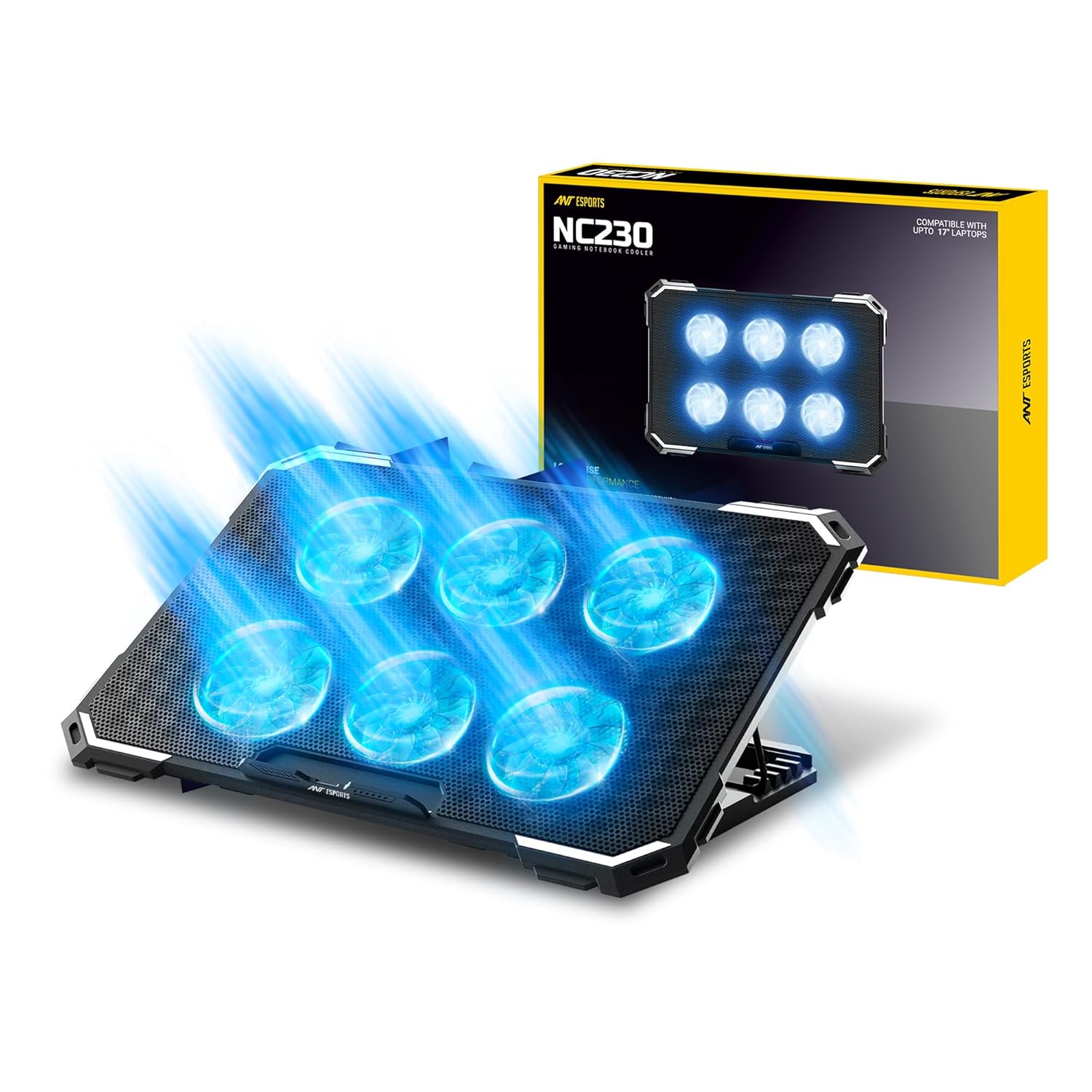
We list the Ant Esports Laptop Cooling Pad at Rs 799 on Amazon.in, rated 3.9 stars from over 1,100 ratings. It fits machines from 10 to 17 inches and props the laptop at a typing angle while the fans pull heat away. That 3.9 average is worth taking seriously rather than glossing over: it is a fair rating for a budget cooling pad, and the complaints in this category usually concern fan noise and plastic build rather than whether the cooling works. At under a thousand rupees, it is a low-risk thing to try before spending more.
If your desk setup is the real problem, the memory foam keyboard and mouse wrist rest set at Rs 499 addresses the wrist half of the same issue, and a MOFT Invisible Laptop Stand at Rs 5,877 is the silent, portable alternative if you want height without fans. For a fuller desk build, the Baseus i-Wok monitor light bar is in the same category.
Prices on Amazon.in change frequently. Check the store page for the current figure.
Common questions
How much cooler will my laptop actually run?
Expect a modest drop rather than a dramatic one. The benefit is largest on soft surfaces and during long sustained workloads.
Will a cooling pad improve gaming performance?
Only if your laptop is throttling due to heat. If it is not throttling, cooling it further gains you nothing.
Do these damage the battery?
No. Lower operating temperatures are better for battery health, not worse. The pad draws a small amount of power from a USB port, so unplugged runtime drops slightly.
My laptop only got hot recently. Should I buy a pad?
Get the fans cleaned first. A sudden change usually means dust or dried thermal paste, and a pad only masks that.
Disclosure: TechBelievers lists products from Amazon.in and other stores as an affiliate. If you buy through our links we may earn a commission, at no extra cost to you. Prices are checked periodically and change often on the store's own site.